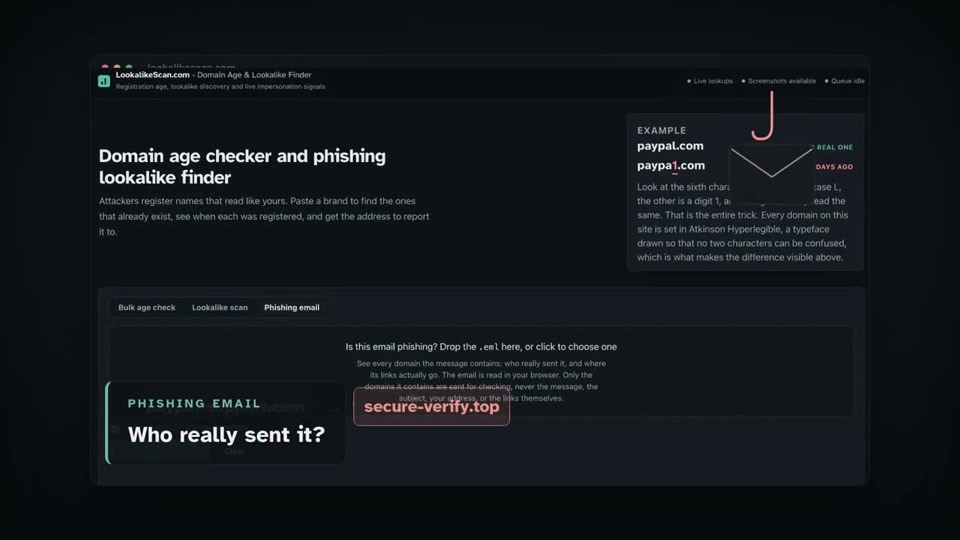
What this tool answers
Phishing infrastructure is usually disposable. A lookalike gets registered, used for days or weeks, and abandoned once it is blocked, which is why this tool treats a registration under a year old as the thing to read first and sorts those rows to the top. Age is a filter, not proof: every legitimate business was new once. Where the date comes from, and how to read it.
A lookalike is a domain registered to be mistaken for yours: a typo like
gogole.com, a homoglyph like paypa1.com, your
name on a cheaper ending, or a login keyword bolted on. The scan
generates the variants attackers actually use, checks which ones someone
has really registered, and adds hostnames seen in Certificate
Transparency logs that no rule could predict.
The full list of variants.
How to read a lookalike scan
These are the columns a lookalike scan returns, ordered by how much they should worry you. A registered lookalike that resolves to nothing is a name someone is sitting on; one that is serving a page is reachable by your users right now, and that is the one to look at. What it is actually doing still takes a human. A bulk age check answers a narrower question and returns registration facts only.
- Registered. When the domain was created, with the age in red under a year.
- Live. Whether it is serving a website right now.
- Shot. A screenshot of what a victim would actually see. This is how you tell a parked domain from a copy of your login page.
- Page title. What the site calls itself, highlighted when your brand name appears in it. That is the strongest signal in the table, though not proof by itself: plenty of legitimate pages name a brand.
- Abuse contact. Where to report it: the registrar for the domain, and the hosting provider for the server.
- Email (MX). Whether the domain is set up to receive mail. A young lookalike with mail records can take replies to a credential lure even with no website running. It does not show the domain sends anything, since sending needs no MX record.
The row to act on first is young, live, has mail, and shows your brand in its page title.
Reporting one
Two parties can act on a phishing site and it is worth contacting both: the registrar, which can act on the domain itself, and the hosting provider, which can remove the content. A registrar accredited by ICANN is contractually required to take appropriate mitigation once it holds actionable evidence of abuse, which is precisely why a well-evidenced report matters. Which action it takes, and how quickly, is not guaranteed, and a hosting provider is under no equivalent obligation. Both addresses sit in the Abuse contact column as links with the subject already written. Attach the screenshot, because a picture of your login page on someone else's domain is the clearest evidence an abuse desk can receive. What to send, and how long each route takes.
Read more
- How to check a domain's age, and why it matters. Where the registration date comes from, what the number means, and why some domains have no date at all.
- Lookalike and typosquatting domains, explained. The variants attackers register, and why Certificate Transparency catches the ones no rule can predict.
- How to report a phishing domain. Registrar versus hosting provider, what evidence to send, and how long each route takes.
- How to check if an email is phishing. Getting the .eml out of your mail client, reading the sender trail, and why passing SPF and DKIM proves less than it looks.
Questions
Is this free?
Yes, with no account. Everything runs one at a time. A bulk age check has no waiting period between runs, with a backstop of 20 an hour from one address, and pasting one domain or fifty costs the same because the whole list is a single check. A lookalike scan is much heavier, so each visitor can start one every 20 minutes. A brand someone already scanned in the last 24 hours is answered instantly and does not use your turn.
How do I check when a domain was registered?
Paste it into Bulk age check, up to 50 at a time. The creation date comes from the domain's own registry. Some country domains publish no date at all; those are shown as undatable rather than guessed.
Why does it say my domain must be 90 days old?
The brand you scan for has to be an established registration. It keeps a free service pointed at real brands rather than at throwaway domains, and the age comes from the registry so it cannot be faked.
Do you store what I scan?
Nothing is stored about you: no account, no cookie, no history. A result lives only behind the private link in your address bar for 7 days and is then deleted, along with any screenshots.
Are screenshots safe to open?
They are images taken by an isolated browser on the server, never by yours. You see what a phishing page looks like without ever visiting it.